From novelty to plumbing: what changes in mid 2026
In 2024, a lot of MCP work looked like a demo: connect an assistant to one tool, prove it can fetch a record, and call it “integrated.” By mid 2026, the interesting work moved. Teams now spend more time on inventory, access control, and tests than on the first connection. That shift is healthy. It means MCP servers are treated like any other production dependency, not like a sidecar experiment.
When MCP becomes plumbing, the failure modes change. The biggest risks are no longer “the model hallucinated a field.” They are operational: a server that silently changes a schema, a permission that is too broad, or a staging environment that points to production data. These are the same kinds of problems we already solved for REST APIs and event streams, but MCP adds a twist: tools are invoked by an agent, often through natural language, and the call graph can be hard to predict.
At Apptension we see this pattern in delivery work that includes AI features alongside standard product systems. The teams that succeed treat MCP servers as product infrastructure. They assign owners, define contracts, add guardrails, and measure what happens after release. The rest end up with “AI that works on Tuesday” because it depends on untracked servers and implicit permissions.
Server inventory: treat MCP servers like a service catalog
Inventory sounds boring until the day you cannot answer a basic question: “Which MCP servers can write to customer data?” In 2026, the minimum bar is a service catalog for MCP. That catalog is not a slide deck. It is a living registry with owners, environments, permissions, and versioning rules. If you already use Backstage or an internal developer portal, MCP servers belong there next to your APIs and databases.
A useful inventory entry is specific. “Salesforce MCP” is not enough. You want “Salesforce MCP (read only) for Account, Contact, Opportunity; supports search by email and domain; rate limit 50 req/min; owner: RevOps platform team; prod and sandbox endpoints; last contract test pass: 2026-06-10.” Those details make it possible to debug incidents and to review access during audits.
What to record (and why it matters)
Start with fields that reduce operational uncertainty. The point is not completeness for its own sake. The point is to make changes safe and to make incidents diagnosable. When an assistant starts creating duplicate tickets or editing docs in the wrong space, you need to know which server was involved and what it was allowed to do.
- Owner and on call: a team name and a rotation. If the “Docs MCP” breaks at 02:00, someone must be accountable for restoring it.
- Data classification: examples include “PII,” “financial,” “internal only.” If the CRM server touches emails and phone numbers, mark it as PII.
- Capabilities: list tools and their verbs. Example: crm.searchContacts (read), crm.updateOpportunityStage (write).
- Rate limits and quotas: e.g., “100 requests/minute, burst 20.” This prevents runaway agent loops from taking down a vendor API.
- Version and deprecation policy: “v1 supported for 90 days after v2 release.” Without this, clients pin to undefined behavior.
In practice, inventory also becomes a planning tool. If product wants “assistant can refund an order,” you can quickly see whether an “Orders MCP” exists, whether it supports write operations, and whether the environment separation is safe enough to enable it.
Permissions: make tool access boring and reviewable
Permissions are where MCP setups most often fail in production. The common anti pattern is a single token that can do everything “because it’s easier.” That works until the agent does something you did not anticipate, like closing tickets, deleting a page, or emailing a customer. In 2026, teams aim for permissions that are narrow, explicit, and easy to audit.
Think in two layers: who can call the MCP server and what the server can do downstream. The first layer is your internal auth. The second is the vendor or system token scope (CRM, ticketing, Git provider). Both layers need least privilege. If either is broad, you will eventually ship an incident.
Practical permission patterns that hold up
The patterns below are not fancy. They are the same controls we use for microservices, applied consistently to MCP. The key is to model the assistant as a client that needs explicit entitlements, not as a magic admin user.
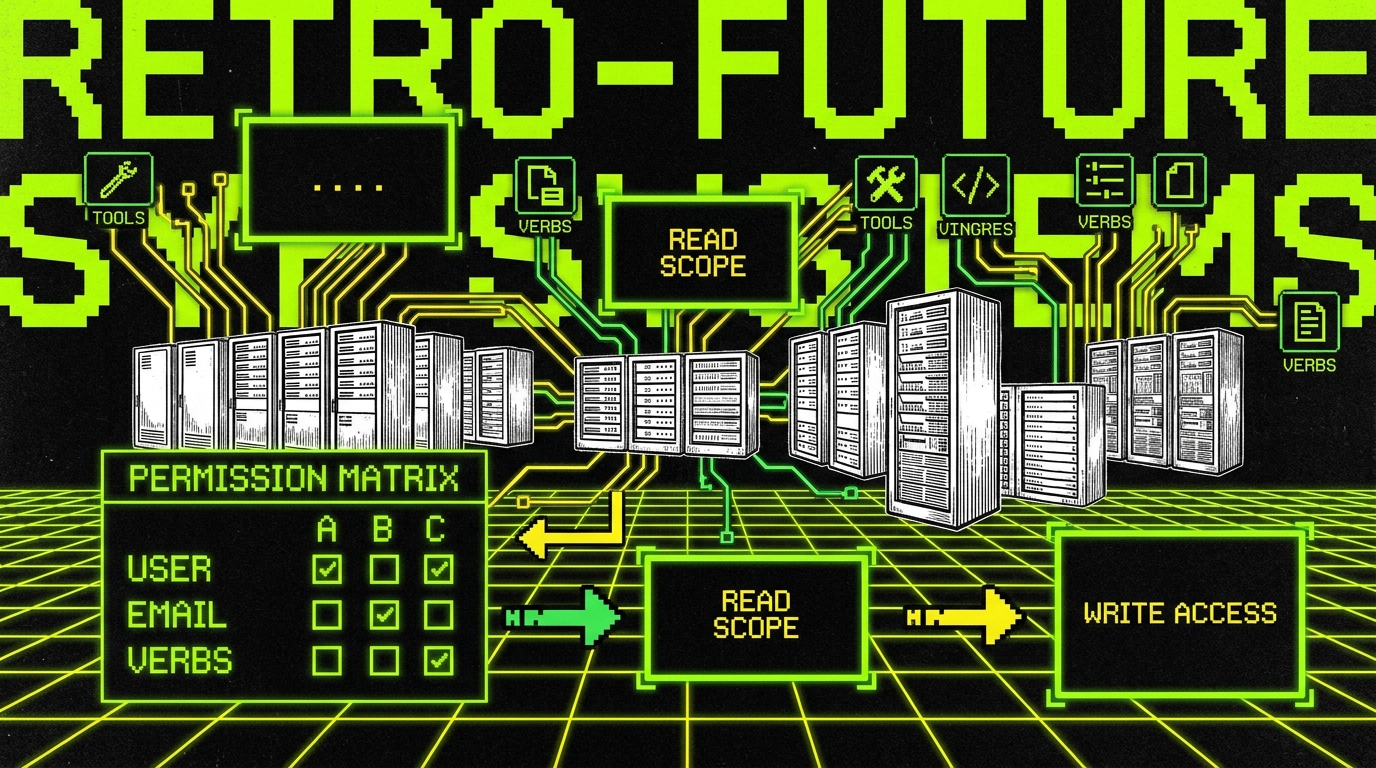
- Read vs write split: separate servers or separate tool groups. Example: a “Ticketing MCP Read” that can search and summarize, and a “Ticketing MCP Write” that can create or transition issues. Most assistants only need read most of the time.
- Scoped credentials per environment: a Jira sandbox token for staging, a production token for prod. Never reuse the same credential across environments.
- Row level constraints: enforce constraints like “only tickets in project SUPPORT” or “only docs in space ENG.” This prevents cross team data leakage.
- Time bound elevation: allow write access for 15 minutes after a human approval. Example: “approve refund” grants the tool permission to call orders.refund for one order ID.
When we build AI features for regulated or audit sensitive environments, we also add decision logs. A decision log captures “who requested,” “what tool was called,” “parameters,” and “result.” This is not about surveillance. It is about being able to answer concrete questions like “Which customer records were updated by the assistant last week?”
Environment separation: stop accidental production writes
Environment separation is the difference between a safe assistant and a risky one. Many teams already separate app environments (dev, staging, prod). MCP adds more edges: each server has its own downstream systems, each with their own sandboxes. If any one link points to production, you can end up with staging prompts creating real CRM leads.
In mid 2026, the baseline is full path separation. Dev MCP servers talk to dev systems. Staging servers talk to sandboxes. Production servers talk to production. This sounds obvious, but it breaks in subtle ways, like when a docs system has no true staging and you “temporarily” point staging to prod with a restricted token. Temporary becomes permanent.
Concrete separation rules that prevent common incidents
Write these rules down and automate checks for them. The goal is to make the unsafe setup hard to deploy, not just discouraged in a wiki.
- Explicit environment config: each server must expose an environment field (dev, stage, prod) and include it in logs. If you see “prod” logs during staging tests, you stop the pipeline.
- Different credentials per environment: even for read only. If a staging token leaks, it should not grant prod access.
- Data seeding for sandboxes: create realistic test data. Example: 10,000 CRM contacts with fake emails, 500 opportunities across stages, 2,000 tickets with varied priorities. Without this, assistants look good in staging and fail in prod because search and edge cases differ.
- Outbound guardrails: for write operations, require an environment check plus a policy check. Example: block crm.createContact in dev if the email domain is not @example.test.
Teams also benefit from a “blast radius” design. If the assistant can create tickets, limit it to a dedicated “AI Intake” project. If it can edit docs, restrict it to a “Drafts” space, then require a human to move pages into the canonical space. These are cheap controls that reduce the cost of mistakes.
Contract testing: keep MCP stable as servers evolve
Contract testing is where MCP maturity shows. In early phases, teams rely on manual testing: “ask the assistant to fetch a deal and see if it works.” That does not scale. MCP servers change. Vendor APIs change. Field names change. Without automated contracts, you will ship silent breakage.
A contract test is a repeatable check that a server still satisfies an agreed interface. For MCP, the contract is often “tool list + JSON schema + behavioral expectations.” Behavioral expectations matter. It is not enough that ticket.create accepts a payload. You also want to assert that it creates the ticket in the right project, with the expected labels, and that it returns a stable identifier.
What to test (beyond “it returns 200”)
Good contracts cover structure, semantics, and safety. Structure is schema. Semantics is meaning. Safety is policy. All three fail in real systems, and each failure looks different in production.
- Schema stability: required fields, enum values, and nested objects. Example: priority must accept “P0, P1, P2, P3,” not “High/Medium/Low.”
- Behavioral invariants: “creating a ticket with label ‘ai’ must route to queue SUPPORT TIER1.” That is a business rule, but it is testable.
- Authorization boundaries: ensure forbidden actions fail. Example: calling docs.deletePage must return an authorization error for the assistant role.
- Rate limit handling: simulate a 429 response and assert the server returns a structured error that the client can back off from.
We also recommend tracking a few quality metrics for MCP integration stability. Concrete examples: Change Failure Rate (percentage of MCP server deployments that cause incidents or rollbacks), MTTR (mean time to recover from MCP related incidents), and Contract Pass Rate (percentage of contract tests passing per server per day). If your contract pass rate drops from 99% to 92% after a vendor API change, you want an alert before users notice.

Workflow integration: CRM, ticketing, docs, and code
MCP becomes valuable when it sits inside real workflows. In 2026, the most common production pattern is not “chat with your tools.” It is “assist a workflow step with a tool call, then write back the result.” That write back part is where permissions and environment rules matter most.
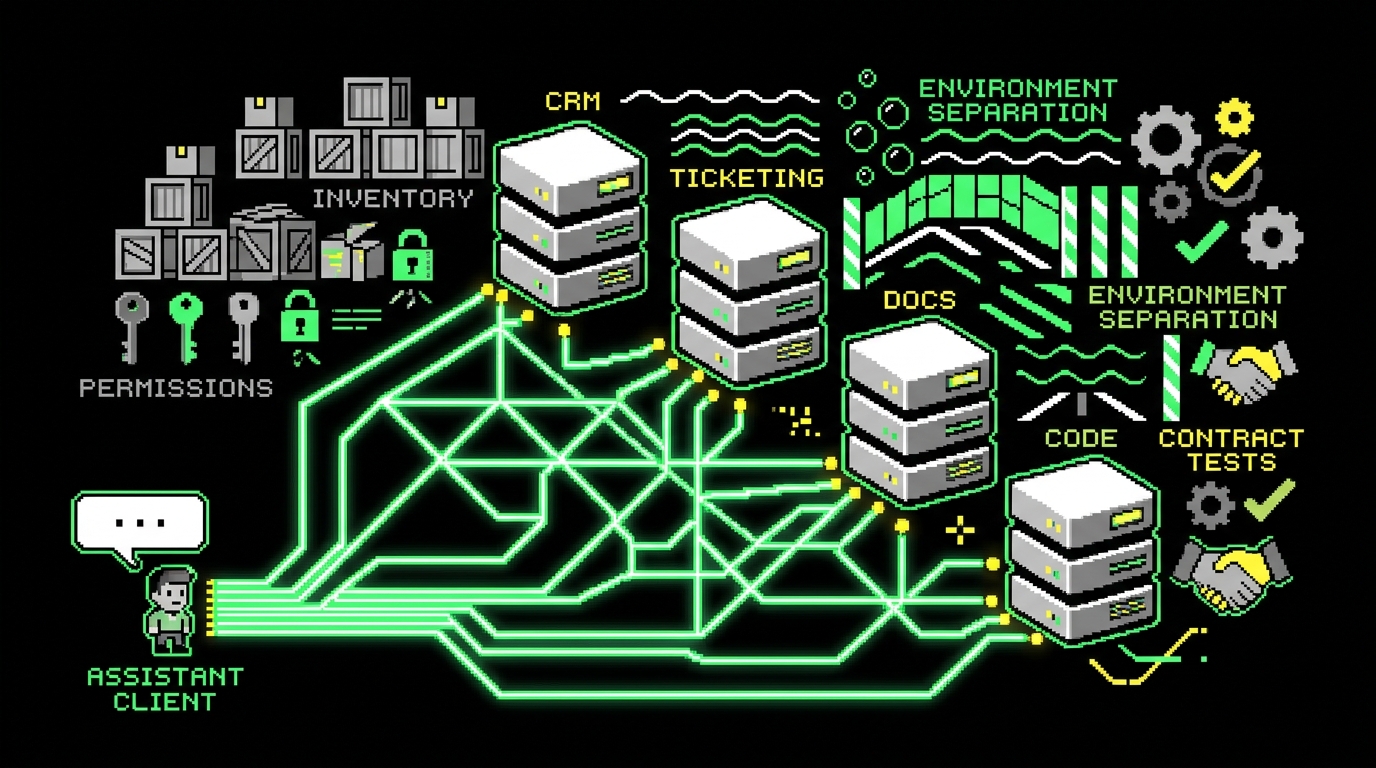
The four integration clusters we keep seeing are CRM, ticketing, docs, and code. Each has a different risk profile. CRM touches PII and revenue data. Ticketing affects operational load. Docs affect shared truth. Code workflows affect production systems. Treating them all the same is a mistake.
CRM: reduce busywork, but keep writes narrow
A safe CRM setup starts with read heavy operations. Examples: “find all open opportunities for Acme,” “summarize last 5 interactions,” or “flag accounts with no activity in 30 days.” These map to tools like crm.searchAccounts and crm.getOpportunity. They save time without changing data.
When you add writes, constrain them. A practical pattern is “draft then approve.” The assistant prepares an update payload like “move opportunity to ‘Proposal Sent’ and add note,” but a human clicks approve. Track a metric like Approval Latency (median minutes from draft to approval) to see if the workflow helps or adds friction. Also track Write Error Rate (failed write calls divided by total write calls) to catch schema drift.
Ticketing: keep queues clean and measurable
Ticketing integrations often start as “create a ticket from chat.” That is fine, but it can flood the queue with low quality issues. The production pattern that works better is: assistant creates a ticket only when it can fill required fields and attach evidence. Evidence can be a log snippet, a request ID, or a reproduction checklist.
Concrete measures help here. Track Reopen Rate (percentage of tickets reopened after resolution), First Response Time (median time to first human response), and Ticket Quality Score (a rubric you define, such as “has steps to reproduce, expected vs actual, environment, logs”). If AI created tickets have a reopen rate of 18% vs 8% for human created tickets, you know the assistant needs stricter gating.
Docs: prevent silent edits to shared truth
Docs integrations are deceptively risky because the consequences are delayed. A wrong CRM update is noticed quickly. A wrong runbook edit might sit for weeks and then cause an outage during an incident. For docs, default to “suggest changes” rather than “apply changes.” The assistant can generate a patch or a draft page, but a human reviews and merges.
Use concrete controls: restrict write access to a “Drafts” space, enforce page templates (e.g., incident runbooks must include “Symptoms,” “Mitigation,” “Rollback,” “Owner”), and log diffs. Track Doc Drift as “percentage of runbooks not updated in the last 90 days” and Review Coverage as “percentage of AI suggested doc changes that received human review.” Those numbers tell you whether the system stays trustworthy.
Code workflows: keep MCP away from direct deploys
Code workflows often include repo search, PR summaries, and CI status checks. These are low risk reads. The risky step is when assistants start pushing commits, merging PRs, or triggering deploys. In most teams, that is a bad default. A safer approach is: assistant opens a draft PR with clear commit messages, labels it as “ai draft,” and requests review from a code owner.
Measure outcomes with engineering metrics you can defend. Examples: Cycle Time (median time from PR open to merge), Review Turnaround (median time to first review), and Change Failure Rate (percentage of merges that cause rollback or hotfix). If AI drafted PRs reduce cycle time from 2.4 days to 1.6 days but increase change failure rate from 6% to 10%, you have a clear trade off to address with better tests and narrower scopes.
Implementation details that keep systems operable
Once you commit to production MCP, you need operational basics: structured logs, correlation IDs, and predictable errors. Without them, every incident becomes guesswork. The goal is to answer “what happened” with a single query, not with three people reading chat transcripts.
We recommend treating each MCP tool call like an API request in a microservice. That means: input validation, output normalization, retries with backoff for transient failures, and explicit timeouts. A timeout is a safety feature. If the CRM vendor stalls for 30 seconds and your agent keeps waiting, you get user visible hangs and cascading retries.
Example: a minimal tool wrapper with audit logging (TypeScript)
This example shows a pattern we use in Node services: validate inputs, attach a correlation ID, and log an audit event for write operations. The key detail is that the audit log includes tool name, actor, and environment, so you can filter incidents quickly.
type Env = "dev" | "stage" | "prod";
type AuditEvent = {
  ts: string;env: Env;actorId: string;tool: string;action: "read" |
  "write";params: Record;correlationId: string;
};
export async function callTool(opts: {
    env: Env;actorId: string;tool: string;action: "read" |
    "write";params: Record;correlationId: string;fn: () => Promise;
  }): Promise {
    if (opts.action === "write" && opts.env !==
      "prod") { // Example policy: block writes outside prod unless explicitly allowed. throw new Error(`Write blocked in ${opts.env} for tool ${opts.tool}`); } const event: AuditEvent = { ts: new Date().toISOString(), env: opts.env, actorId: opts.actorId, tool: opts.tool, action: opts.action, params: opts.params, correlationId: opts.correlationId, }; console.log(JSON.stringify({ type: "mcp_audit", ..event })); return await opts.fn();
    }
The policy here is intentionally strict to make the point. In real systems, you would allow writes in staging to sandbox systems, but you would still enforce “full path separation” and record the environment in every event. The audit log becomes the basis for alerts like “write calls spiked 3x in the last hour” or “writes executed by an unexpected actor.”
Example: contract test for an MCP server tool schema (Python)
Contract tests should fail fast and produce readable output. This example checks that a tool exists and that its output has required keys. You can run it in CI against a sandbox server after every change.
import requests BASE = "https://mcp-stage.internal" def test_ticket_create_contract(): tools = requests.get(f"{BASE}/tools").json() names = {t["name"] for t in tools} assert "ticket.create" in names payload = { "title": "Contract test: cannot login", "project": "AI_INTAKE", "priority": "P2", "labels": ["ai"], } res = requests.post(f"{BASE}/call/ticket.create", json=payload).json() assert "ticketId" in res assert res.get("project") == "AI_INTAKE"
This is not a full testing strategy. It is a guardrail for drift. If the downstream ticketing system changes “project” to “queue,” this test fails in CI instead of failing in front of users. Add negative tests too, such as asserting that creating a ticket in an unauthorized project returns a structured authorization error.
What breaks in production (and how to notice early)
MCP in production fails in predictable ways. The problem is that many teams do not instrument for those failures, so they only notice after user complaints. If you treat MCP like plumbing, you need the same kind of monitoring you already use for APIs: error budgets, alerts, and dashboards.
Here are failure modes we keep seeing, with concrete signals that catch them. The signals matter because “it feels flaky” is not practical. “p95 tool latency doubled from 900 ms to 1.8 s after release” is practical.
- Schema drift: contract test failures, increased 400 responses, and a spike in “missing field” errors.
- Permission creep: new tools appear without review, or write calls happen from unexpected actors. Detect with an alert on “new tool name seen in logs.”
- Runaway loops: tool call volume spikes (e.g., from 200 calls/hour to 5,000 calls/hour). Detect with per tool rate limits and an anomaly alert.
- Environment mix ups: staging correlation IDs show up in production logs, or production data appears in staging responses. Detect by tagging every log with env and validating downstream endpoints.
If you cannot answer “which tools wrote data in the last 24 hours, and why,” you do not have production MCP. You have an experiment that happens to run in prod.
A practical dashboard for MCP includes: Tool Call Count (per tool per hour), Error Rate (5xx and policy denials), Latency (p50/p95), and Write to Read Ratio. That last metric is a simple smell test. If your CRM integration suddenly shifts from 95% reads to 60% writes, something changed and you should investigate.
Conclusion: MCP maturity is mostly operations
By mid 2026, MCP is not interesting because it exists. It is interesting when it behaves like a stable dependency. That stability comes from unglamorous work: server inventory, narrow permissions, strict environment separation, and contract testing that fails before users do.
CRM, ticketing, docs, and code workflows each benefit from MCP in different ways, and each needs different guardrails. Read operations are easy wins. Write operations require approvals, scopes, and audit logs. If you design for reviewability and measure outcomes with concrete metrics like Cycle Time, Change Failure Rate, MTTR, and Ticket Reopen Rate, you can improve workflows without increasing operational risk.
The simplest rule we use in delivery: if a tool can change customer facing state, it must be testable, auditable, and easy to disable. That is what turns MCP from a novelty into plumbing you can live with.