Ship production-ready SaaS at enterprise scale
Open-source SaaS foundation: React, Django, AWS. Auth, billing, multi-tenancy, and governed AI agents included. Use it free, or ship with our senior team on the same stack. 360+ projects since 2012.
Read the documentationTalk to senior engineersPython / Django expertiseReact / Next.js expertise
See it in action
How engineering teams go from clone to running locally.
Introduction to SaaS Boilerplate
300+ hours of SaaS infrastructure, production-ready
Auth, billing, multi-tenancy, and AWS deployment included. Skip repetitive setup and ship your product's differentiators from day one.
Complete Stack
Frontend, backend API, admin panel, and workers with auto-scaling AWS architecture and continuous deployment.
Ready-to-Use Features
14 production modules included. Eliminate weeks of auth, payments, and tenancy setup before writing product code.
Proven at Scale
2,934 GitHub stars and 412 forks. Battle-tested stack with pinned versions, v5.0 releases, and active AWS/MCP maintenance across 360+ delivered projects.
Multiple Environments
Deploy staging, QA, and production from one codebase. Pipeline-ready from the first commit.
_> SaaS economics
The stack saves time. Model what that does to runway.
Test pricing, growth, hiring, infrastructure, and cash assumptions over 36 months. Change one input and see revenue, EBITDA, runway, and break-even move together.
36
Months
6
Sheets
€2.45M
Y3 Revenue*
Getting started
Get up and running quickly with our CLI starter kit or manual setup
Clone and run in one command
npm init saas-boilerplate NAMEReplace NAME with your project name
Requirements
- Install Docker
- Install Node.js version 20 or above (check with
node -v) - Install pnpm version 9 or above (check with
pnpm --version) - (Windows only) Install WSL 2
Optional:
- Python 3.11 and PDM 2.3+ (for running backend/workers outside Docker)
- Use nvm or n for managing multiple Node versions
- Use pyenv for managing multiple Python versions
Fresh Installation
Setup using CLI starter kit:
Run the following command in the directory where you would like to create a new project:
npm init saas-boilerplate NAMEpnpm create saas-boilerplate NAMEyarn create saas-boilerplate NAMEReplace NAME with your desired project directory name (e.g., my-saas-app). The target directory must be empty or non-existent!
Manual setup:
Clone the repository and follow the steps in the Getting started guide.
Run Existing Project
Install dependencies:
pnpm installThe project uses pnpm workspaces, so a single command installs node_modules for all packages.
Start the app:
pnpm saas uppnpm saas backend uppnpm saas webapp uppnpm saas docs upWhat's Running Locally?
http://localhost:3000http://localhost:5001http://admin.localhost:5001http://localhost:1080http://localhost:3006http://localhost:3005Built on modern,
reliable technology
Battle-tested technologies with pinned versions for production compatibility
Front-end stack
Back-end stack
Infrastructure
3rd party services
Production-ready from day one
Eight modules that close enterprise deals. 14 total, all included.
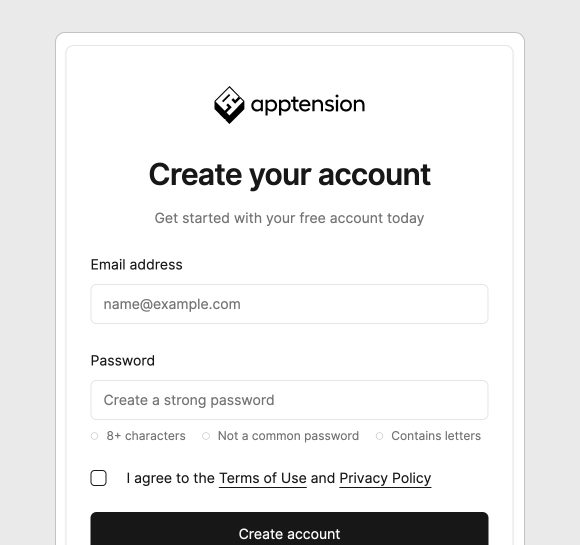
Authentication and authorization
OAuth, WebAuthn, and enterprise SSO with SCIM included. Pass procurement security reviews without a custom auth program.
- User registration and login, including Facebook and Google OAuth
- WebAuthn/Passkeys for passwordless authentication
- Enterprise SSO (SAML 2.0, OIDC) with SCIM 2.0 directory sync
- Basic user data like name, surname, and user role for authorization
- User email address verification via a transactional email
- Password change and password recovery within the app flow
- User management panel in Django admin
- Two-factor authentication (2FA)
- Active session management across devices
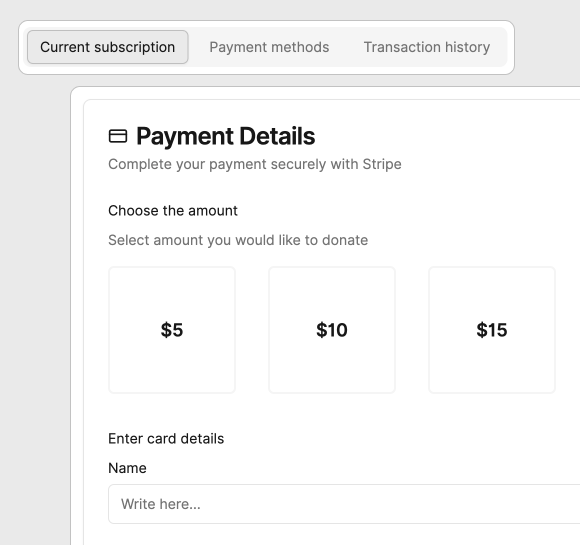
Subscriptions & Payments
Stripe subscriptions, trials, grace periods, and in-app refunds built in. Start recognizing revenue from week one.
- Integration with Stripe services and its dashboard
- No customer payment method data is stored locally
- Support for multiple payment methods and their management (storing for future use and removal)
- Ability to charge users immediately or to set up recurring payments
- Subscription plans support and ability to freely modify current plans
- Free trial subscription plan, a grace period for credit card issues
- Superadmin panel enables customer management (i.e. refunds) without the Stripe dashboard
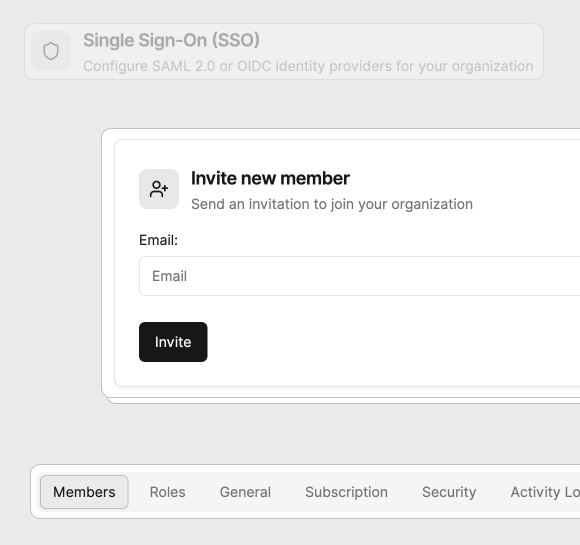
Multi-tenancy
Workspace isolation and default roles out of the box. Close team and enterprise deals without re-architecting tenancy.
- Start immediately with a default tenant provided upon account creation
- Add new tenants as needed to manage multiple entities within a single account
- Utilize three default roles "Owner, Admin, and Member" to control tenant activities and collaboration
- Securely invite and manage new members within each tenant
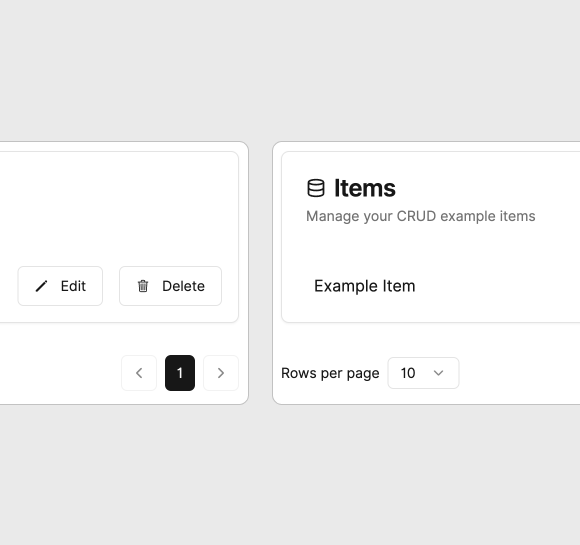
CRUD Generator
Tenant-scoped admin modules from generators, not greenfield builds. Ship internal tools in hours instead of multi-week sprints.
- Plop-based generators for quickly scaffolding new features
- Example CRUD module with pagination (v5.0)
- Tenant-scoped data isolation
- Generate forms, tables, and GraphQL operations automatically
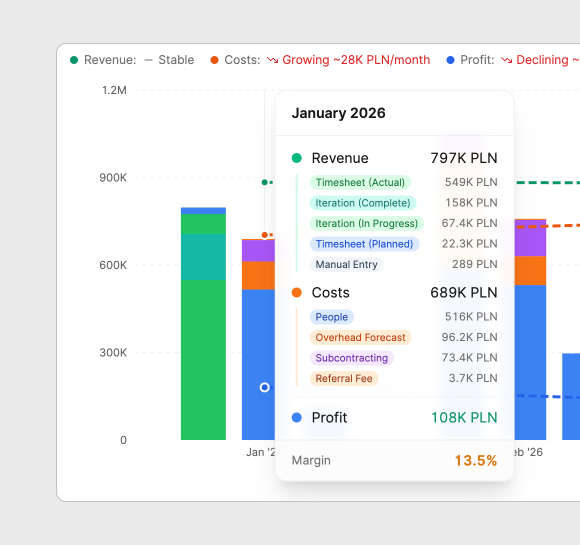
Management Dashboard
Revenue, cost, and forecast modeling with multi-currency support. Give finance and leadership visibility before you hire ops.
- Complete financial management module (example module)
- Projects, iterations, revenue & cost tracking
- AI-powered CSV import with intelligent column mapping
- Financial forecasting with backtesting and scenarios
- Multi-currency support with FX rate management
- Excel-like timesheet with copy/paste and fill handle
- CFO Command Center with KPI dashboards
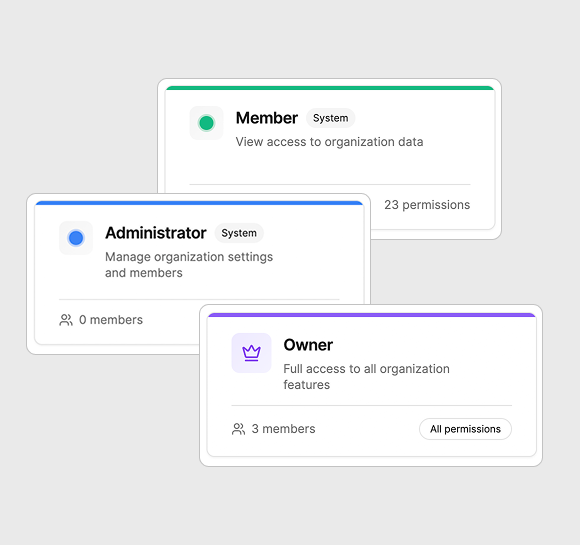
RBAC Permissions
Fine-grained roles enforced on frontend and backend. Answer security questionnaires with a proven permission model.
- Fine-grained role-based access control
- Custom organization roles with color coding
- Permission categories (organization, members, security, billing, features)
- Frontend and backend permission enforcement
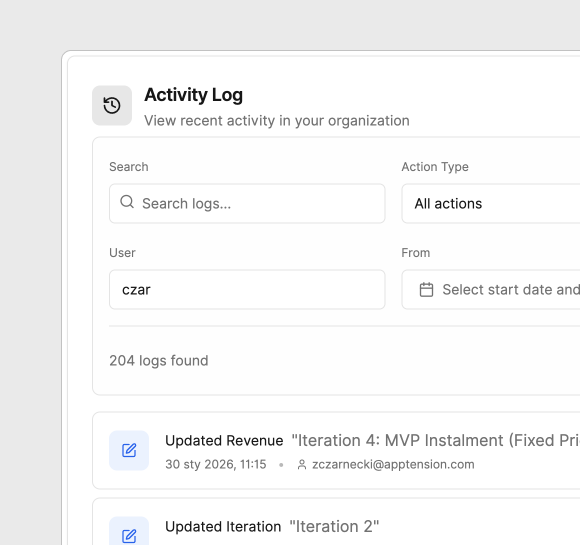
Activity Logs
Field-level audit trails with AI agent actors and CSV export. Compliance evidence without manual spreadsheet work.
- Comprehensive audit trail for all actions
- Field-level change tracking (old value → new value)
- Multiple actor types (User, AI Agent, System)
- Export to CSV for compliance
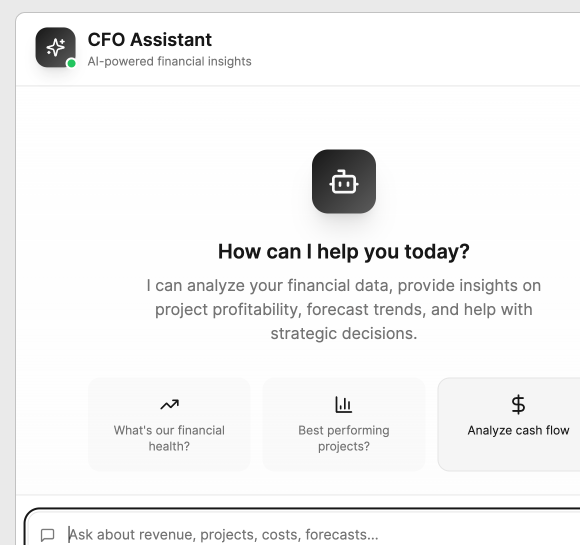
AI Agent (MCP)
Governed AI assistants that respect RBAC and deploy on AWS. Ship agentic workflows in production, not a sandbox.
- Model Context Protocol integration for AI assistants
- Natural language data queries and mutations
- RBAC-aware tool execution
- WebSocket streaming for real-time responses
- Production AWS deployment path (CDK-ready)
_> Delivery checkpoint
The foundation is ready. Is your team?
Keep full ownership and ship independently, or bring in the senior team that built the stack for architecture, hardening, and launch.
Kwame Nyanning - CEO, blkbx
"The Saas Boilerplate was a huge reason we were so successful, because all these little seemingly unrelated tasks and integrations needed to happen. If we had been working with anybody else, It would have probably taken months to do the same work."
Kwame Nyanning
·CEO, blkbx

Expert onboarding for your team
Senior engineers guide your CTO and team through setup, AWS deployment, and production hardening
FAQs
SaaS Boilerplate is a complete SaaS starter kit based on a battle-tested stack with out-of-the-box features every SaaS should have. It includes frontend, backend API, admin panel, and workers with a scalable AWS-based architecture and continuous deployment. Build SaaS products faster in React, Django and AWS.
Perfect for engineering leaders, CTOs, and early-stage entrepreneurs who want to accelerate SaaS development. If you need to reduce development time, avoid repetitive coding of basic SaaS features, and focus on building your product's intellectual property instead of infrastructure, SaaS Boilerplate is for you.
You need Docker, Node.js version 20 or above, and pnpm version 9 or above. For Windows, WSL 2 is required. Optionally, Python 3.11 and PDM 2.3+ if you want to run backend/workers outside Docker containers.
Use our CLI starter kit: run `npm init saas-boilerplate NAME`, `pnpm create saas-boilerplate NAME`, or `yarn create saas-boilerplate NAME` where NAME is your desired project directory name. The CLI will clone the repository and set up the environment automatically.
Yes, SaaS Boilerplate is completely free and open-source. We live and breathe SaaS, and wanted to contribute to the community by releasing a battle-tested starter kit that eliminates weeks of setup and coding.
Yes, SaaS Boilerplate has an auto-scaling feature with AWS-based architecture. You can dynamically scale resources according to current demand, making it suitable for medium to large-sized applications. The architecture supports multiple environments representing different stages in your pipeline.
After starting the application, you'll have: Web App (http://localhost:3000), Backend API (http://localhost:5001), Admin Panel (http://admin.localhost:5001), Mailcatcher (http://localhost:1080), Docs (http://localhost:3006), and Workers (http://localhost:3005).