Introduction
Boilerplates save weeks. They also ship your defaults.
That is fine for UI scaffolding. It is dangerous for authentication, RBAC, and anything that touches AI data access.
If you want a SOC 2 ready path, you need two things early:
- A clear model of who can do what, to which data, in which tenant
- Evidence that your controls actually run in production, not just in a policy doc
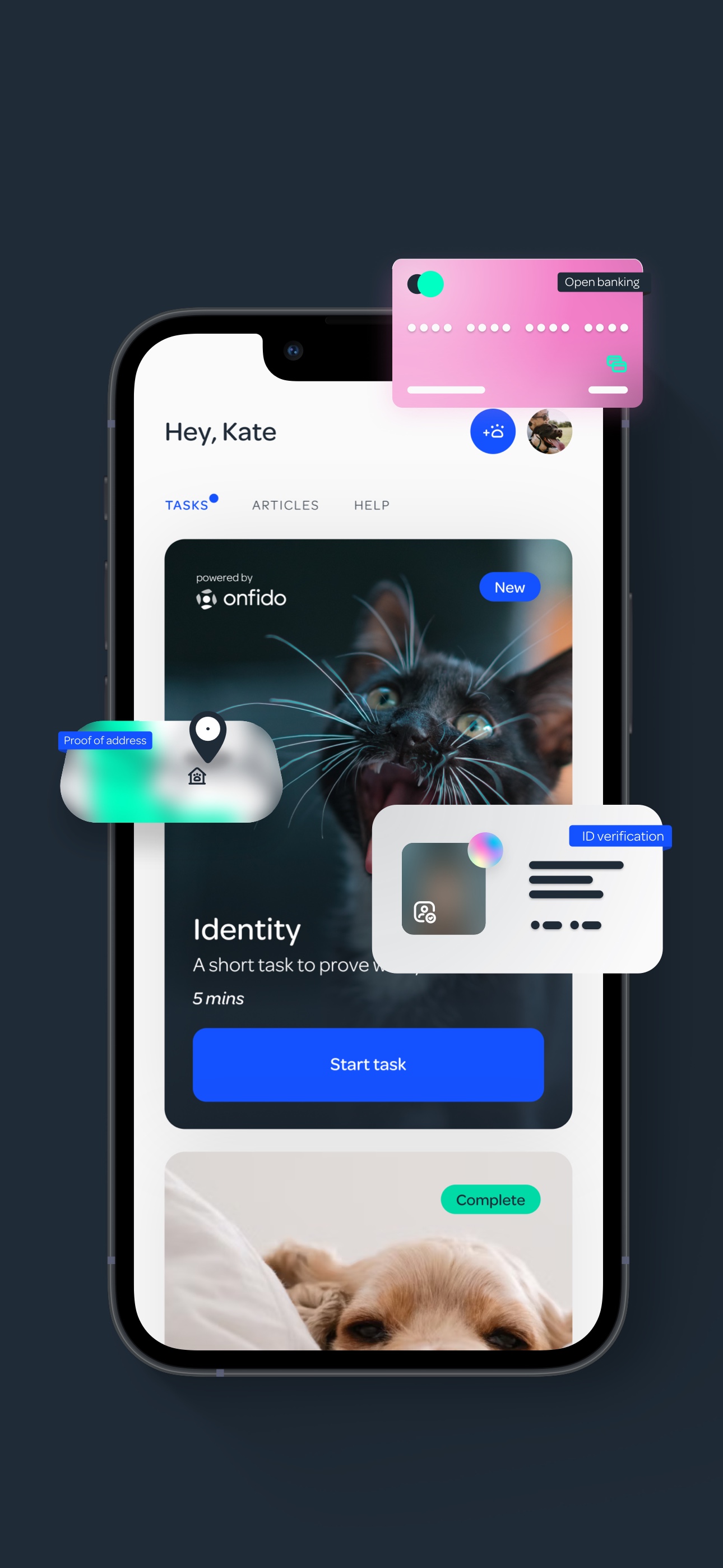
This article is a practical playbook for implementing secure authentication, RBAC, and AI data access in a boilerplate based SaaS. It is based on patterns we have used across Apptension deliveries, including identity heavy onboarding in PetProov and RAG based analytics workflows in L.E.D.A.
Insight: Boilerplates are fastest when you accept their opinions. Security work starts when you decide which opinions you will not accept.
What we mean by SOC 2 ready
SOC 2 is not a checkbox. It is a system of controls plus evidence.
For auth and access, “ready” usually means:
- Access is least privilege by default (no shared admin accounts, no wildcard roles)
- Changes are auditable (who granted access, when, and why)
- Sensitive data is protected in transit and at rest, and also inside logs and AI prompts
- Operational controls exist (incident response hooks, key rotation, offboarding)
If you do not have an auditor yet, treat this as your internal bar. You can map the details later.
Where boilerplates usually break (and how it shows up later)
Most SaaS boilerplates do a decent job with login screens and token refresh. The issues show up one layer deeper, when you add:
- multi tenant data
- internal admin tools
- background jobs
- integrations
- AI features that read and summarize customer data
Here are the failure modes we keep seeing.
- Tenant isolation is implicit. Someone forgets a
tenantIdfilter in one query. - RBAC is UI only. Buttons disappear, but APIs still allow the action.
- Roles are too coarse. “Admin” becomes “can do everything forever.”
- Service to service auth is skipped. Cron jobs use the same token as a user.
- Logs become a data leak. Errors include payloads, prompts, or PII.
Insight: If your access control lives in the frontend, you do not have access control. You have a nicer looking incident.
A quick smell test you can run in 30 minutes
Use this list to evaluate your current boilerplate setup:
- Can you answer “what data does this endpoint touch” without opening the code?
- Do you have a single function that enforces tenant scope, used everywhere?
- Can a background job call the API without a user token?
- Do you log prompts or retrieved documents for AI features?
- Can you produce an audit trail of role changes?
If you answered “no” to two or more, you are not alone. It just means you should fix the foundations now, not after you add your first enterprise customer.
The AI specific failure mode: authorization drift
AI features introduce a new path to data:
- retrieval pipelines (vector search, SQL, blob storage)
- prompt assembly
- model calls
- post processing and caching
The drift happens when your app enforces RBAC, but your retrieval layer does not.
Example: a user cannot open a document in the UI, but the RAG pipeline still retrieves it because embeddings are shared across tenants.
Key Stat: If you cannot prove tenant scoped retrieval, treat every AI answer as a potential data breach. Measure it with red team prompts and retrieval logs.
What to measure (hypotheses, until you instrument it)
If you want to keep this grounded, define metrics you can actually collect:
- Authorization failure rate: how often requests are denied (by reason)
- Cross tenant query attempts: count of requests where tenant scope mismatches
- Privilege escalation events: role changes per week, per tenant
- AI retrieval scope violations (hypothesis): retrieved documents that the user would not be allowed to open in the product
If you do not have these metrics, start with logs and a weekly review. It is boring. It works.
One policy layer
Testable authorization
Keep access decisions in one place, enforce them in the API, and cover them with a policy test suite.
Tenant safe AI retrieval
RAG with boundaries
Namespace and filter retrieval, then run post checks so the model never sees what the user cannot access.
Evidence by default
Audit friendly operations
Log role changes, exports, and admin actions with clear reason codes so you can prove controls in production.
Authentication patterns that survive audits
Authentication is not just “login works.” It is how you prove identity, manage sessions, and handle edge cases like device loss.
In practice, we aim for a setup that supports:
- SSO for enterprise customers without rewriting your auth layer
- MFA for privileged roles
- short lived access tokens with rotation
- strong password policy only where it makes sense (consumer apps are different)
Choose your auth model: build vs provider
Here is a blunt comparison we use when teams are deciding.
| Option | Good for | What fails | Mitigation |
|---|---|---|---|
| Managed identity provider (OIDC, SAML) | B2B SaaS, SOC 2 timelines, SSO | Vendor limits, pricing, lock in | Keep your app auth thin, use standard claims, avoid provider specific roles |
| Homegrown auth (passwords, sessions) | Tight UX control, offline flows | Security debt, audit burden | Narrow scope, add MFA, invest in monitoring and incident response |
| Hybrid (provider plus local accounts) | Mixed customer base | Account linking bugs, duplicate identities | Strong identity linking rules, explicit migration paths |
Insight: If you think you will need SSO “later,” you probably need it now. Retrofitting SAML into a product that mixed identities is painful.
Implementation checklist (the boring parts that matter)
Use this as a baseline for a boilerplate based SaaS:
- Token strategy
- Access token short lived
- Refresh token rotation
- Audience and issuer checks everywhere
- Session controls
- Device based sessions for web
- “Log out all devices” for admins
- MFA and step up auth
- Required for privileged roles
- Required for sensitive actions (export, billing, role changes)
- Password reset safety
- Rate limit reset flow
- Invalidate sessions after reset
- Operational hooks
- Central audit log for auth events
- Alerts on unusual login patterns
Minimal code example: verify token and attach identity
This is not a full implementation. It shows the shape we aim for: one place where identity is verified and attached to the request context.
// Pseudocode TypeScript
export async function authMiddleware(req, res, next) {
  const token = extractBearerToken(req)
  if (!token) return res.status(401).json({
    error: "missing_token"
  })

  const claims = await verifyJwt(token, {
    issuer: process.env.OIDC_ISSUER,
    audience: process.env.OIDC_AUDIENCE
  })

  req.identity = {
    userId: claims.sub,
    orgId: claims.org_id,
    roles: claims.roles ?? [],
    sessionId: claims.sid
  }

  return next()
}
Process steps: hardening a boilerplate auth layer
When we inherit a boilerplate, we usually harden it in this order:
- Centralize identity verification (one middleware, one library)
- Add session inventory (store sessions, not just tokens)
- Add MFA for privileged roles
- Add audit events for login, logout, reset, role change
- Add rate limiting and bot protection on auth endpoints
This order works because it reduces blast radius early. It also creates evidence you can show later.
- Server side authorization on every endpoint
- Tenant scope derived from token, not client input
- Policy tests in CI for critical permissions
- Step up auth for exports and role changes
- Audit log with immutable storage and clear reason codes
- Permission aware caching for AI answers
RBAC that stays maintainable as your SaaS grows
RBAC fails when it becomes a spreadsheet nobody trusts.
The goal is simpler: make authorization decisions predictable, testable, and auditable.
Start with a permission model, not roles
Roles are just bundles. Permissions are the real controls.
A practical model we use:
- Resource: project, document, transaction, dataset
- Action: read, write, delete, export, invite
- Scope: tenant, team, owned, shared
- Condition: only if verified, only if billing active, only if MFA passed
Then roles become bundles like:
- Owner: all actions, including billing and role management
- Admin: operational actions, no billing
- Member: standard actions
- Viewer: read only
Insight: Roles should change rarely. Permissions can evolve. If you change roles weekly, you are encoding product decisions into access control.
Features grid: RBAC control points you should implement
- Policy enforcement in the API: never rely on UI gating
- Tenant scope enforcement: every query includes org scope, enforced server side
- Audit trail: role changes, invites, removals
- Impersonation with guardrails: support can view, not act, and every action is logged
- Break glass access: time boxed admin access for incidents
A small but effective authorization function
Keep the decision in one place. Make it easy to test.
// Pseudocode
export function can(identity, action, resource) {
  if (!identity?.orgId) return false
  if (resource.orgId !== identity.orgId) return false

  const permissions = permissionsForRoles(identity.roles)

  // Optional step up auth gate
  if (action === "export" && !identity.mfaVerified) return false

  return permissions.includes(`${action}:${resource.type}`)
}
What fails in real products
A few patterns that look fine in week two, then hurt in month six:
- Role explosion: 25 roles for every customer segment
- One off exceptions: “this user can do X even though role says no”
- RBAC mixed with business logic: billing checks scattered across endpoints
Mitigations that actually stick:
- Keep a small role set. Add scopes and conditions instead.
- Add a “policy test suite” that runs in CI.
- Log denied decisions with reason codes. It helps support and security.
Key Stat: Hypothesis worth measuring: a policy test suite reduces authorization regressions by 50% over 90 days. Track it via incident tags and PR rollbacks.
Benefits component: what you get when RBAC is done right
- Faster enterprise deals because you can answer security questionnaires without guessing
- Fewer production incidents caused by missing filters
- Cleaner product work because permissions are explicit
- Easier AI feature development because data access rules are reusable
The last point matters more than people expect. If you build RAG without reusing RBAC, you will rebuild access control inside your AI pipeline. It will drift.
- Centralize token verification and request identity context
- Enforce tenant scope in the data access layer
- Implement permission checks in the API for top 10 endpoints
- Add role change and export audit events
- Add MFA or step up auth for privileged actions
- Add rate limiting on auth and invite flows
- Add AI retrieval namespaces and post retrieval authorization
- Add safe logging rules and redaction
- Add alerting for repeated denied actions and suspicious logins
- Run a red team pass focused on cross tenant access and AI leakage
AI data access: RAG, prompts, and tenant safe retrieval
AI features are where teams get sloppy. Not because they do not care. Because the pipeline is new and the libraries move fast.
In our work building L.E.D.A., the core problem was not “can the model answer questions.” It was “can we make it reliable and safe when the questions touch real business data.” RAG helped, but only when retrieval was scoped and explainable.
Example: In L.E.D.A., we treated retrieval as a first class system with its own constraints, not just a helper step before calling an LLM.
The pattern: enforce access before retrieval, and again after retrieval
A safe baseline looks like this:
- Authenticate user and resolve tenant and roles
- Authorize the intent (what the user is trying to do)
- Retrieve only allowed data (tenant filter, row level rules)
- Assemble prompt with minimal necessary context
- Call model with strict output constraints
- Post validate output (no secrets, no cross tenant references)
- Log safely (hash identifiers, redact content)
Table: where to enforce access control in an AI pipeline
| Pipeline step | What can leak | Control that works | Evidence to keep |
|---|---|---|---|
| Vector search | Cross tenant documents | Namespace per tenant, metadata filters | Retrieval logs with tenant id |
| SQL or warehouse query | Row level data | Row level security, parameterized queries | Query audit logs |
| Prompt assembly | PII in prompts | Redaction, field allowlists | Prompt templates versioned |
| Model output | Hallucinated sensitive info | Output validators, refusal rules | Validation failures logged |
| Caching | Serving wrong user | Cache key includes tenant and permission hash | Cache hit logs |
Code sketch: tenant scoped retrieval
# Pseudocode Python

def retrieve(user, query):
  # Hard tenant boundary
  tenant = user.org_id

  # Vector DB query with tenant namespace and metadata constraints
  results = vectordb.search(
    namespace=f"tenant:{tenant}",
    text=query,
    filter={"visibility": {"$in": allowed_visibilities(user.roles)}}
  )

  # Post check: every doc must be authorized
  authorized = [doc for doc in results if can(user, "read", doc)]
  return authorized
What to do about prompt logging
Teams want prompt logs for debugging. Auditors want proof you do not leak data.
A pragmatic compromise:
- Log prompt template id and document ids, not raw content
- Store raw prompts only in a short retention secure store, behind break glass access
- Add a redaction layer for emails, phone numbers, addresses
Insight: If your AI feature requires storing raw prompts forever to be debuggable, it is not finished.
FAQ component: questions we get from teams shipping AI in regulated SaaS
Do we need a separate vector database per tenant? Not always. Namespaces plus metadata filters can work. The risk is misconfiguration. If you cannot prove isolation, separate stores are safer.
Is RBAC enough for AI? No. You also need content controls: redaction, output validation, and safe logging.
Can we just “anonymize” data before sending it to the model? Sometimes. But anonymization is fragile. Measure reidentification risk and treat it as a control, not a promise.
What about model training on customer data? Default to no. If you ever do it, make it opt in, documented, and technically enforced.
Process steps: shipping an AI feature without guessing your risk
This is the checklist we use when a team wants to ship RAG inside an existing SaaS:
- Define the user intents (summarize, compare, export, explain)
- Map each intent to required permissions
- Identify data sources (DB tables, files, third party APIs)
- Implement retrieval with tenant boundaries and post checks
- Add redaction and output validation
- Run a red team pass with cross tenant prompts
- Instrument violations and set alert thresholds
If you skip step 6, you will learn in production. That is the expensive way.
_> Delivery reference points from related builds
Concrete timelines from Apptension case studies mentioned above
- Do we need ABAC instead of RBAC? Often no. Start with RBAC plus scopes and conditions. Add ABAC only when you can name the attributes and test them.
- Can we keep roles in the JWT? Yes, but treat it as a cache. Keep the source of truth server side and support revocation.
- What is the fastest evidence win? Audit logs for role changes, exports, and admin actions. They help security and support.
- What is the biggest AI risk? Retrieval without strict tenant boundaries. Fix that first.
Real implementations: what we built, what went wrong, what we changed
Theory is cheap. Here are three situations from Apptension work that map directly to secure authentication, RBAC, and AI data access.
PetProov: identity verification and trust in transactions
PetProov needed a secure onboarding flow for buyers, adopters, and breeders, plus a dashboard to manage multiple concurrent transactions.
The access control challenge was not exotic. It was operational:
- Different user types needed different actions at different times
- Some actions should only unlock after identity verification
- Support needed visibility without the ability to change outcomes
What worked:
- A permission model that included conditions like “verified” and “transaction participant”
- Audit logs for identity events and transaction milestones
- Step up auth for sensitive actions (hypothesis if you are not using MFA yet)
What failed early (and how to mitigate it):
- Overloading a single “admin” role during MVP. It made later separation painful.
- Treating verification as a UI state. It must be enforced in the API.
Example: In identity heavy flows like PetProov, “verified” is not a label. It is a gate that should be checked in every write path.
L.E.D.A.: RAG based analytics with reliability constraints
L.E.D.A. was built in 10 weeks to make complex retail analytics accessible via natural language, using RAG for LLMs.
The hard parts were:
- ensuring the system understood analytical tasks
- controlling what data could be pulled into context
- improving transparency of operations
What worked:
- Treating retrieval as a constrained system with filters and post checks
- Keeping traces of the operations performed so analysts could review the logic
What can fail in similar products:
- Shared embeddings across tenants without strict namespace boundaries
- Caching answers without including permission context in the cache key
Insight: For analytics tools, explainability is a security feature. If users can see which data was used, they can catch mistakes faster.
Miraflora Wagyu: shipping fast across time zones without losing control
Miraflora Wagyu needed a premium Shopify experience delivered in 4 weeks with a team spread from Hawaii to Germany.
This is not a classic RBAC case study. But it is a good reminder: speed creates risk.
What helped in a short timeline:
- Clear separation between what was “launch required” vs “post launch hardening”
- Strong defaults and checklists so security tasks were not forgotten in async work
What can fail:
- Async feedback loops can hide security gaps. Nobody notices until the last week.
Mitigation:
- Add a short “security acceptance” checklist to every milestone. Make it visible.
Comparison table: MVP shortcuts vs SOC 2 ready patterns
| Area | MVP shortcut | What breaks | SOC 2 ready pattern |
|---|---|---|---|
| Auth | Single JWT, long lived | Token theft impact | Short lived tokens, rotation, session inventory |
| RBAC | UI gating | API bypass | Server side policy enforcement |
| Tenancy | tenantId passed from client |
Tampering | Resolve tenant from token, enforce in queries |
| AI | Log prompts for debugging | PII leaks | Redacted logs, template ids, break glass access |
| Auditing | No event trail | No evidence | Central audit log with immutable storage |
What we would measure next time (if you want proof, not vibes)
These are metrics we would put on a dashboard for the first 90 days:
- Count of denied authorization decisions by endpoint and reason
- Time to revoke access for a departing user (target in hours, not days)
- AI retrieval violations found in red team tests (target trending to zero)
- Incidents caused by missing tenant scope (target trending to zero)
If you do not measure it, you will keep debating it.
Conclusion
Secure authentication, RBAC, and AI data access are not separate projects. They are one system: identity, permissions, and data boundaries.
Boilerplates are still worth it. Just do not let the boilerplate decide your security model.
Here are next steps that are small enough to do this week:
- Write down your resources, actions, and scopes. Turn it into a permission list.
- Move authorization to the API if it is not already there.
- Add an audit log for role changes, invites, and exports.
- For any AI feature, enforce tenant scope in retrieval and add post checks.
- Decide what you log, and what you never log. Then enforce it in code.
Insight: SOC 2 readiness is not about perfect security. It is about consistent controls and evidence that they run every day.
If you want a simple rule: build the access control layer you wish you had during your first incident. That is usually the right one.
Pragmatic checklist you can paste into your backlog
- Central auth middleware with issuer and audience checks
- Session inventory and “log out all devices”
- Permission model documented and tested in CI
- Tenant scope enforced server side in every query path
- Audit events for login, role change, export, and admin actions
- AI retrieval namespaces per tenant and permission aware caching
- Redaction and output validation for model calls
Keep it boring. Keep it consistent. That is how you pass audits and sleep at night.